
No one is quite as confused as a taxpayer who has already had tax deducted, but now receives a “you need to pay” notice. Typically, a TDS mismatch notice will appear in this manner, an intimation under Section 143(1) saying that the tax credit mentioned in your return is not matching with what the department records. At first glance it seems unfair because the tax was actually deducted from your income. But it requires a complete understanding of the cause of the mismatch and that’s where many of the confusions start.
The Possible Causes Behind Why the Mismatch Occurs
The Income Tax Department gives the credit for TDS on the basis of the details mentioned in Form 26AS and not on the basis of the Form 16 or Form 16A certificate received by the taxpayer. This distinction is the source of virtually all TDS mismatches. But if your employer or client has properly withheld tax from your salary and issued you a certificate, and the employer/client has delayed or made a mistake in filing their TDS return, the credit will be reflected neither on your certificate nor on your tax return—regardless of the amount noted on the certificate.
Some of these causes crop up several times. The deductor could have entered the wrong PAN number and the credit is credited to someone else’s PAN account. The TDS return may be filed late and thus, the credit might not have been credited till the time you have filed your return. The amount reported may be a true data entry mistake. Or the deductor might have deducted the tax only and not deposited it with the government, which is reflected in the Form 26AS as a default and not as confirmed credit.
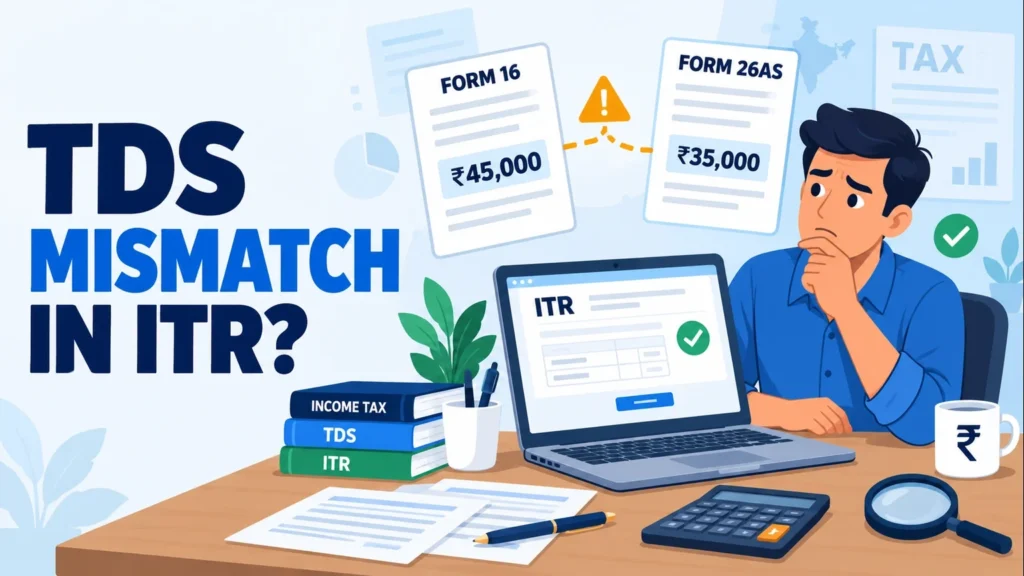
Understanding the Notice
The Process of Understanding the Notice: Self
The notice under Section 143(1) is largely automated. The Centralised Processing Centre will check the TDS amount claimed in your return with the amount shown in Form 26AS and Annual Information Statement and highlight the discrepancies. The notice will include the department’s computation as well as yours, the specific adjustment requested and whether it will involve an increase in demand or a decrease in refund. It also has a limited response period of usually thirty days, so it is all the more important to act fast.
How to Resolve It
The first step will be to download your own Form 26AS from TRACES portal and check line by line against your Form 16 or Form 16A. Ensure that you read the status column of each entry. If the entry shows “F” for final, it means that the deductor has filed his entry with the tax entry that matches the tax payment and the credit is confirmed. The ones that are most likely to be your mismatch are the ones that are provisional or unmatched—these ones are the ones you should chase.
The deducted tax if it actually does not show in your 26AS is not your responsibility as the taxpayer. It is kept with the deductor, who will have to file / rectify his/her TDS return to ensure that the deduction is reflected in the return. This typically involves emailing, calling, or going to your employer, bank, or client and requesting them to review and correct their filing. On successful completion of the correction, the updated credit should appear in your 26AS which would be processed within 1 to 3 weeks but sometime a longer time.
There are a number of things you can do in the meantime. In case the original return is filed till the due date, then under section 139(5), a revised return can be submitted once the corrected 26AS is received but till the deadline in the revised return which is usually 31st December of the assessment year has not expired. Once the underlying data has been corrected, a rectification request under Section 154 should be used, if this time frame has elapsed.
What Not to Do
One of the common mistakes done by tax payers is claiming TDS credit without the Form 26AS, which it doesn’t and makes things worse. This may give rise to a demand notice, interest as per Sections 234 of the Act, namely 234A, 234B and 234C, and in a few cases scrutiny. It is far better to cross-check 26AS with one’s own records prior to filing the return and not have a mismatch after filing the return.
Best Practice
Reconciliation Can Be Integrated Into Filing
The best possible approach to ensure a hassle-free 26AS reconciliation is to consider it as a mandatory requirement, rather than a post-facto exercise after receiving a notice. This implies that Form 26AS can only be downloaded after the fourth quarter TDS filing deadline, as the download before that will miss the maximum credits for the year; and then confirming each entry of every deductor against your records before filing your return.
How Badami & Kamath Can Help
We assist a lot of clients in reconciling TDS credits in advance with the TDS returns filed and address mismatch notices if any, with follow-ups with the deductors and drafting the appropriate reply to the department at Badami & Kamath. We are based on careful documentation and understanding of the process of automated matching in the department.
Contact Us
If you have received a TDS mismatch notice or if you would like to discuss your credits of TDS for TDS before filing, please consult our tax experts at Badami & Kamath.